12 Modern Instagram Posts for Personal Branding
Let's be real: building a personal brand on Instagram is more than just posting a selfie with a motivational quote. It's about creating a cohesive, professional, and instantly recognizable visual identity. But designing unique, high-quality content from scratch for every post is a massive time sink, especially when you're also running a business, creating content, or managing client work. This is where having a robust set of design assets becomes a game-changer.
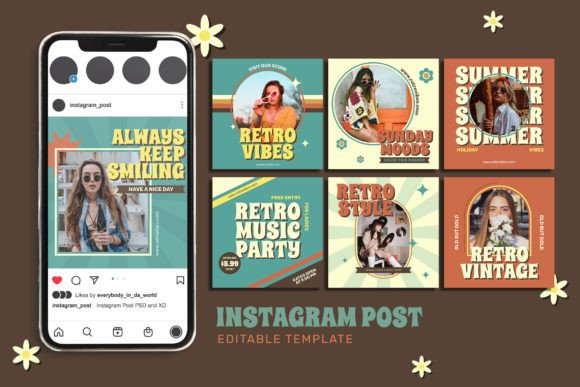
Enter the Personal Branding Instagram Post template set. This isn't just another collection of generic Canva templates. We're talking about a professionally designed toolkit of 12 distinct, fully customizable posts built for Adobe Photoshop. Think of it as your brand's visual foundation, ready to be adapted to your unique voice and style. The aesthetic is clean, modern, and elegant—think minimalist layouts, sophisticated typography, and ample white space. It’s the kind of professional polish that makes your profile look like it was managed by a top-tier agency.
Who This Template Set Is For (And Why It Works)
This resource is tailor-made for anyone who understands that their Instagram grid is a direct reflection of their professional credibility. If you're an entrepreneur, a freelance designer, a coach, a blogger, or a content creator, your audience judges your expertise in the first few seconds. These templates provide that critical first impression. The visual personality is versatile enough for a variety of fields: the portraits and clean layouts work for consultants and coaches, the shopping-focused designs are perfect for product-based businesses, and the inspiration boards serve any creator looking to share ideas.
The core strength lies in its practicality. Every element is built on a column grid, ensuring your final graphics look balanced and intentional. Shapes are vector-based, meaning they scale perfectly without losing quality—crucial for high-resolution displays. The use of smart objects for image placement is a massive time-saver. You simply drag and drop your photo into the designated layer, and the template handles the masking and framing. This allows you to maintain a consistent brand identity across all your posts, which is fundamental for recognition and trust.
Beyond Aesthetics: The Strategic Value of Cohesive Design
Using a unified set of templates does more than just make your feed look pretty. It directly influences key metrics of your online presence. First, it enhances readability and visual hierarchy. The templates are designed with clear focal points, guiding the viewer's eye from the headline to the supporting text and finally to the call-to-action. This structured approach means your message isn't lost in visual clutter.
Second, it builds professionalism and consistency. When a potential client or follower lands on your profile, they see a grid where every post feels like part of a larger story. This consistency signals that you are organized, detail-oriented, and serious about your craft. It’s a subtle form of modern typography in action—the thoughtful pairing of typefaces (the set uses free, accessible fonts) and balanced composition communicates competence before a single word is read.
Finally, it boosts audience engagement. A clean, well-designed post is more likely to stop the scroll. The templates provide a professional canvas for your content, whether you're announcing a new product, sharing a client testimonial, or posting a motivational tip. The elegant style doesn't compete with your message; it elevates it.
Practical Guidance for Implementation
Getting started is straightforward, but a little planning ensures the best results. First, choose your core brand colors before you even open Photoshop. The templates have editable color layers, so defining your primary and secondary palette (no more than 3-4 colors) will make the customization process seamless.
Next, evaluate the project fit. Browse all 12 designs. Do you need more quote-based layouts or product features? The set is a starting point. You might use some templates as-is and modify others. For instance, a "board of inspiration" layout can easily become a "services overview" by swapping the imagery and text.
A critical step is to test font pairings. The templates come with recommended free fonts, but you should ensure they align with your existing brand guidelines. Do the serif and sans serif combinations used in the templates complement your logo design and website typography? Sometimes, swapping the headline font to a script font or a handwritten font can add a more personal touch, provided it remains legible.
Remember, these are Photoshop templates, which offers significant control. You can adjust every layer, tweak letter spacing, change image filters, and resize elements. This level of customization is what separates a premium, pixel-perfect asset from a basic online editor. It allows you to create a truly unique brand identity rather than looking like you used a stock template.
Finally, think beyond Instagram. The clean, modular designs are easily adaptable for other social media graphics, digital ads, website banners, or even editorial design for a PDF lookbook. The high-resolution files ensure your visuals look sharp everywhere. By investing in a well-structured set of design assets, you're not just buying templates—you're building a scalable system for your brand's visual communication.