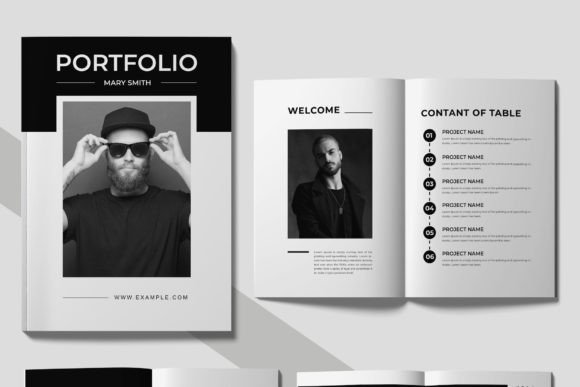
Mastering the Portfolio Design Layout for Creative Success
When you're presenting your work to a potential client or employer, the container matters as much as the content. A beautifully crafted project housed in a cluttered, poorly organized portfolio can undermine your credibility before anyone even examines your skills. That's precisely the problem this Portfolio Design Layout template solves. Built in Adobe InDesign, it's a sharp, professional framework designed to let your creative work breathe while maintaining the visual polish that serious clients expect.
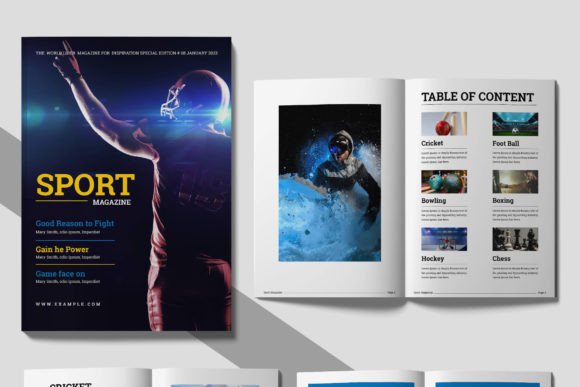
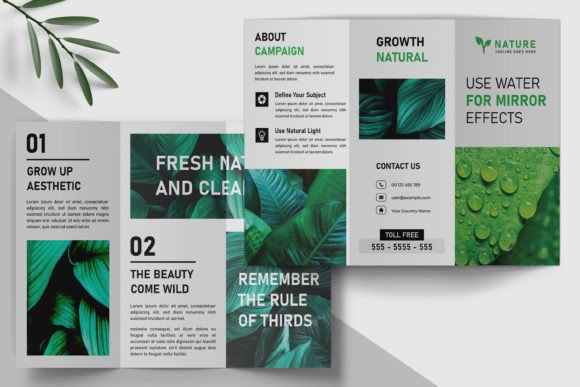
What makes this particular template stand out is its restraint. The design leans into clean lines, generous white space, and a structured grid system that guides the viewer's eye naturally from one project to the next. It doesn't compete with your work—it frames it. The typography is modern without being trendy, relying on free fonts that maintain a professional tone without requiring additional investment. Whether you're a graphic designer showcasing branding projects, a photographer curating a visual narrative, or a small business owner presenting product lines, this layout adapts to your content rather than forcing your content to adapt to it.
Where This Portfolio Template Truly Shines
Think about the last time you reviewed someone's portfolio. You probably noticed immediately whether it felt cohesive or thrown together. A strong Portfolio Design Layout creates that sense of intentionality, and this template delivers it across a surprising range of contexts. Freelance designers use it to pitch agencies. Marketing professionals build case study decks from it. Crafters and hobbyists have turned it into lookbooks for their Etsy shops. Bloggers repurpose it as a media kit for brand partnerships.
The A4 paper size makes it versatile for both digital distribution and physical printing. If you're meeting a client in person, a printed version carries weight—literally and figuratively. If you're sending it as a PDF, the CMYK color scheme ensures your colors translate accurately to print while still looking vibrant on screen. That dual-purpose flexibility is something many templates promise but few actually deliver without compromise.
Small business owners, in particular, find real value here. You might not have the budget for a custom-designed portfolio, but you still need something that communicates professionalism. This template bridges that gap. The well-organized layers mean you can swap out images, adjust text blocks, and modify color accents without accidentally breaking the layout. It's built for people who know what they want their portfolio to say but don't want to spend hours wrestling with software.
Design Details That Build Brand Perception
Visual hierarchy in a portfolio isn't just about making things look pretty—it's about controlling the narrative. This Portfolio Design Layout uses scale, spacing, and alignment to establish a clear reading order. Your strongest project gets the hero treatment on the opening spread. Supporting work flows logically behind it. Contact information and a brief bio land exactly where someone expects to find them. That predictability isn't boring; it's respectful of your audience's time and attention.
The clean design aesthetic also sends a subtle but powerful message about your brand identity. When a potential client opens your portfolio and sees organized grids, consistent margins, and thoughtful typography, they make assumptions about how you'll handle their project. They see attention to detail. They see someone who understands that presentation is part of the deliverable. That's the kind of brand perception you can't manufacture with flashy effects or trendy design choices—it comes from structure and intention.
Practical Tips for Making It Your Own
Once you download the template, resist the urge to overhaul it immediately. The instant download means your files are available right away, and the included help file documentation walks you through the customization process. Start by replacing the placeholder content with your own work. Notice how the grid responds to different image ratios. Some projects might need full-bleed photographs, while others work better with smaller, captioned images arranged in a sequence.
Font pairing is worth considering if you want to push the template further. The included free fonts handle most scenarios well, but if your brand already uses a specific typeface, you can integrate it carefully. Pair a bold sans serif heading with the template's body text, or introduce a script font for your name on the cover page. Just keep contrast in mind—too many competing typefaces will fracture the visual cohesion that makes this layout effective in the first place.
Test your finished portfolio on different devices before sending it anywhere. A PDF that looks perfect on your desktop monitor might feel cramped on a phone screen. Print a test copy on your home printer to check how the CMYK colors reproduce. If something feels off, the editable layers make adjustments straightforward. Fast and friendly customer service is also available if you hit a snag during customization, which removes much of the frustration that typically accompanies template-based workflows.
Ultimately, a portfolio is a design project in itself. It reflects your standards, your taste, and your understanding of how visual communication works. This Portfolio Design Layout gives you a professional foundation that respects both your work and your audience, letting the strength of your projects take center stage without distraction.